
PGP Encryption: The Unbreakable Shield

Torzon Market Security - PGP Encryption and 2FA Authentication System for Darknet Links Protection

Pretty Good Privacy (PGP) sounds complicated, but it's actually the most elegant solution to a fundamental problem: how do you communicate securely with someone you've never met, over a network you don't trust? This is the exact challenge facing every user of Torzon Market, and PGP is our answer.

What is PGP and Why Does It Matter?

At its core, PGP is a cryptographic system that combines symmetric and asymmetric encryption to provide both confidentiality and authentication. When you generate a PGP key pair, you create two mathematically linked keys: a public key that you share with the world, and a private key that you guard with your life. Anyone can use your public key to encrypt a message that only you can decrypt with your private key. Conversely, you can use your private key to digitally sign a message, allowing anyone with your public key to verify that the message genuinely came from you and hasn't been tampered with.

For Torzon Market users, this dual functionality is critical. When you place an order, your shipping address must be encrypted with the vendor's public key. This ensures that even if the Torzon Market database is compromised, or if law enforcement seizes the servers, your personal information remains protected. Only the vendor, holding the corresponding private key, can decrypt and read your address. This is end-to-end encryption in its purest form—no intermediary, not even the platform itself, can access your sensitive data.

PGP Implementation on Torzon Market

We mandate the use of GnuPG 2.3.7 or later, the free and open-source implementation of the OpenPGP standard. We require 4096-bit RSA keys for all user accounts registered after February 2024. While 2048-bit keys are still considered secure for most purposes, we believe in future-proofing our security architecture. A 4096-bit RSA key provides a significantly larger security margin against advances in computational power and cryptanalysis.

Every vendor on Torzon Market must upload their PGP public key during registration. This key is displayed prominently on their profile page and is cryptographically signed by the platform to prevent key substitution attacks. When you navigate to a vendor's page, you should independently verify the key fingerprint against multiple sources—never trust a single source for critical security information.

Key Management Best Practices

Your private key is the crown jewel of your Torzon Market security. If it is compromised, an attacker can decrypt all past communications encrypted with your public key and impersonate you by signing messages. Here are our recommended best practices:

  • Generate Keys Offline: Create your PGP key pair on an air-gapped computer that has never and will never connect to the internet. This eliminates the risk of keyloggers or malware stealing your private key during generation.
  • Use Strong Passphrases: Your private key should be protected by a passphrase of at least 20 characters, combining random words, numbers, and symbols. Use a diceware passphrase generator for maximum entropy.
  • Backup Securely: Store encrypted backups of your private key in multiple physical locations. Use encrypted USB drives or printed paper backups stored in secure locations. Never store unencrypted backups in cloud storage or on internet-connected devices.
  • Key Rotation: Rotate your PGP keys every 12-18 months. This limits the window of vulnerability if a key is ever compromised. When rotating, securely delete old private keys using tools like shred on Linux or secure erase utilities on other platforms.
  • Revocation Certificates: Generate and store a revocation certificate when you create your key pair. This allows you to invalidate your public key if your private key is ever compromised. Store the revocation certificate separately from your private key.

Digital Signatures and Message Authentication

PGP's signature capability is just as important as its encryption function. When Torzon Market publishes a list of verified mirror links, that list is signed with the platform's official PGP key. Before trusting any link, you must verify this signature. The verification process proves three things:

  • Authenticity: The message was created by someone who possesses the private key corresponding to the published public key.
  • Integrity: The message has not been altered since it was signed. Even a single character change will cause signature verification to fail.
  • Non-Repudiation: The signer cannot later deny having created the message, as only they possess the private key required to generate that specific signature.

Similarly, vendors should sign all communications with buyers. This prevents impersonation attacks where a third party poses as a vendor to extract sensitive information or redirect payments. Always verify signatures before trusting any message claiming to be from a vendor or the Torzon Market administration. See our detailed PGP tutorial for step-by-step verification instructions.

PGP Limitations and Operational Security

While PGP is powerful, it's not a magic bullet. The cryptography is sound, but implementation and operational security are where most failures occur. Common mistakes include:

  • Compromised Systems: If you generate or use your PGP keys on a malware-infected computer, all bets are off. Attackers can log your passphrase, copy your private key, or intercept messages before encryption.
  • Metadata Leakage: PGP encrypts the content of messages, but not metadata like sender, recipient, timestamp, or message size. This metadata can still reveal patterns of communication.
  • Forward Secrecy: Standard PGP does not provide forward secrecy. If your private key is compromised, all past messages encrypted with the corresponding public key can be decrypted. This is why key rotation is so important.
"PGP is only as strong as the weakest link in your OpSec chain. Master key management, verify every signature, and never trust—always verify." — Torzon Security Team, January 19, 2026
Two-Factor Authentication (2FA): Beyond Passwords

Passwords alone are fundamentally inadequate for protecting high-value accounts in adversarial environments. Data breaches, phishing attacks, keyloggers, and brute-force attacks have made single-factor authentication obsolete. This is why Torzon Market mandates two-factor authentication for all accounts—and not just any 2FA, but cryptographic PGP-based 2FA that provides mathematical certainty of identity.

The Problem with Passwords

Even the strongest password is vulnerable. If your computer is infected with a keylogger, your password is compromised the moment you type it. If the Torzon Market database is ever breached and password hashes are stolen, a determined attacker with sufficient computing resources can crack weak passwords through offline brute-force attacks. Credential stuffing attacks, where attackers try stolen username-password pairs from other breaches, are alarmingly effective because users frequently reuse passwords across sites.

Traditional TOTP (Time-Based One-Time Password) 2FA, like Google Authenticator, is better than nothing. But it's still vulnerable to certain attacks. Phishing sites can capture both your password and your current TOTP code in real-time and immediately use them to access your account. Malware on your phone can intercept TOTP codes. SMS-based 2FA is even worse, vulnerable to SIM-swapping attacks and SS7 protocol exploits.

PGP-Based 2FA: Cryptographic Proof of Identity

Torzon Market uses PGP-based two-factor authentication, which is fundamentally different and more secure. Here's how it works:

  1. Login Attempt: You navigate to the Torzon Market login page and enter your username and password.
  2. Challenge Generation: The server generates a unique, random challenge string and encrypts it with your account's registered PGP public key. This encrypted challenge is displayed to you.
  3. Challenge Decryption: You copy the encrypted challenge, paste it into your PGP client (like GPG), and decrypt it using your private key. This proves you possess the private key corresponding to the public key on file.
  4. Response Signature: You take the decrypted challenge, sign it with your private key, and paste the signed response back into the login form.
  5. Verification: The server verifies the signature using your public key. If the signature is valid and corresponds to the challenge that was issued, access is granted.

This process provides two critical security properties. First, it proves that you possess the private key, which is something only you should have. Second, the challenge-response mechanism is one-time-use and cannot be replayed. Even if an attacker intercepts your entire login session, they cannot reuse the signed response to log in later, because the server will generate a different challenge for each login attempt.

Setting Up PGP 2FA on Torzon Market

Enabling PGP-based 2FA is straightforward but requires careful attention to detail. After creating your account, navigate to Security Settings and select "Enable PGP 2FA." You will be prompted to upload your PGP public key or paste it as ASCII-armored text. The system will verify the key format and extract the key fingerprint.

Critical: Write down and securely store your key fingerprint. This is a 40-character hexadecimal string that uniquely identifies your public key. Before every login, you should verify that the fingerprint displayed by Torzon Market matches your stored fingerprint. This protects against man-in-the-middle attacks where an attacker might try to substitute a different public key.

Once 2FA is enabled, your account is significantly more secure. Even if your password is compromised through phishing or keylogging, an attacker cannot access your account without also possessing your private key and passphrase. This makes account takeover exponentially harder.

Recovery and Backup Strategies

The flip side of strong security is the risk of lockout. If you lose access to your private key—through hardware failure, accidental deletion, or forgotten passphrase—you will be permanently locked out of your Torzon Market account. There is no "forgot my 2FA" option that bypasses cryptographic authentication. This is by design; any recovery mechanism would be a potential security vulnerability.

Our recommended backup strategy:

  • Multiple Backups: Maintain at least three encrypted backups of your private key in geographically separate locations. Use different encryption methods (e.g., one on an encrypted USB drive, one as a paper backup protected by a strong passphrase, one in an encrypted cloud backup with a different passphrase).
  • Test Regularly: Periodically verify that you can decrypt and use your backup keys. A backup is worthless if you can't actually restore from it.
  • Passphrase Management: Store your PGP passphrase separately from your key backups. Consider using a password manager like KeePassXC, which can securely store and sync encrypted passphrases.

Mandatory 2FA Enforcement

As of February 2024, all new accounts on Torzon Market must enable PGP 2FA within 48 hours of registration. Accounts that fail to enable 2FA are automatically restricted from making purchases or vendor activities. This policy has reduced account compromises by 87% according to our internal metrics.

Advanced 2FA Considerations

For users seeking maximum security, we recommend using a dedicated, air-gapped device for 2FA operations. This could be an old laptop or a Raspberry Pi that never connects to the internet. You decrypt challenges and sign responses on this device, manually copying the encrypted/signed text between your connected device and the air-gapped device. This eliminates the risk of keyloggers or malware on your primary device compromising your 2FA process.

Some advanced users also employ hardware security modules (HSMs) or smartcards like the YubiKey to store their PGP private keys. These devices perform cryptographic operations without ever exposing the private key to the host computer, providing an additional layer of protection against software-based attacks.

For more information on account security and access protocols, visit our platform features page.

Multi-Signature Escrow: Trustless Transactions

Torzon Market Escrow Protection System 2026 - Multi-Signature Cryptocurrency Security for Safe Darknet Transactions

Escrow is the foundational concept that makes darknet markets possible. It solves the fundamental trust problem: how can two anonymous parties, with no legal recourse and no central authority, safely conduct commerce? The answer is multi-signature escrow, a cryptographic innovation that makes third-party trust unnecessary.

Traditional Escrow vs. Multi-Signature Escrow

In traditional escrow, you send your money to a trusted third party who holds it until the transaction is complete. The buyer sends funds to the escrow agent, the vendor ships the product, the buyer confirms receipt, and the escrow agent releases funds to the vendor. This works, but it requires absolute trust in the escrow agent. If the agent is corrupt or compromised, they can steal the funds. This is exactly how many darknet markets have exit scammed—admins simply took all the escrowed funds and disappeared.

Multi-signature (multisig) escrow eliminates this central point of failure through cryptographic mechanisms built into cryptocurrency protocols. In a 2-of-3 multisig arrangement, three parties hold keys to the escrow address: the buyer, the vendor, and the platform. To move funds out of escrow, any two of these three parties must cooperate and sign the transaction. This means:

  • No Single Point of Control: No individual party can unilaterally steal the funds. The platform cannot execute an exit scam because they only control one key out of three.
  • Dispute Resolution: If the buyer and vendor disagree, the platform can mediate and sign with either party to resolve the dispute fairly.
  • Buyer-Vendor Consensus: In the ideal case, the buyer and vendor agree that the transaction went smoothly. They can both sign to release funds to the vendor, and the platform doesn't even need to be involved.
  • Transparency: All multisig transactions are recorded on the blockchain and can be independently verified by anyone with basic blockchain analysis skills.

How Torzon Market Implements Multisig Escrow

For Bitcoin (BTC) transactions, Torzon Market uses P2SH (Pay-to-Script-Hash) addresses with 2-of-3 multisig requirements. When you place an order, the system generates a unique multisig address for that specific transaction. The buyer, vendor, and platform each contribute a public key to create this address. The buyer sends the order amount to this address, where it remains locked until two of the three parties sign a transaction to release it.

The technical implementation uses Bitcoin Script, the programming language built into the Bitcoin protocol. A simplified version of the locking script looks like this:

Bitcoin Multisig Script Example

This script requires 2 valid signatures from the 3 provided public keys. The beauty is that this logic is enforced by the Bitcoin network itself, not by any centralized authority. Even if Torzon Market were to disappear tomorrow, the funds would remain in the multisig address, accessible to the buyer and vendor together.

Monero Multisig: Privacy-Preserving Escrow

For users who prioritize privacy, Torzon Market fully supports Monero (XMR) multisig transactions. Monero's implementation is more complex than Bitcoin's but provides the same trustless escrow properties while maintaining complete transaction privacy.

Monero multisig uses threshold signatures and ring confidential transactions (RingCT) to obscure transaction amounts, sender identities, and recipient identities. When you use XMR for a Torzon Market transaction, observers cannot determine how much you paid, who you paid, or even that an escrow transaction took place. All they see is cryptographic noise indistinguishable from any other Monero transaction.

Setting up Monero multisig is more involved than Bitcoin multisig. It requires multiple rounds of key exchange between parties to generate the shared multisig address. Torzon Market automates this process through our web interface, but advanced users can also perform manual multisig setup using the Monero CLI for maximum security and privacy.

Escrow Release Scenarios

There are several ways a multisig escrow transaction can be resolved on Torzon Market:

Scenario Signers Outcome
Successful Transaction Buyer + Vendor Funds released to vendor. No platform intervention needed.
Buyer Dispute (Vendor Unresponsive) Buyer + Platform After investigation, funds refunded to buyer or partially released to vendor.
Vendor Dispute (Buyer Unresponsive) Vendor + Platform After proving shipment, vendor receives funds via platform arbitration.
Platform Offline (Rare) Buyer + Vendor Parties can still resolve transaction without platform participation.

The average escrow transaction on Torzon Market is released within 4.7 days of the buyer confirming receipt. This is significantly faster than many competing platforms and reflects our efficient dispute resolution process and proactive vendor accountability.

Dispute Resolution Process

When a dispute arises, our trained moderators examine evidence from both parties: shipping confirmations, communication logs (encrypted with PGP), photographs, and transaction histories. Decisions are made based on platform policy and community standards, with transparency at every step. Buyers and vendors can appeal decisions, and all dispute resolutions are documented for accountability.

Our dispute statistics as of January 19, 2026:

  • Total disputes opened: 2,847 (3.2% of all transactions)
  • Resolved in favor of buyer: 1,463 (51.4%)
  • Resolved in favor of vendor: 1,189 (41.8%)
  • Partial resolution (split): 195 (6.8%)
  • Average resolution time: 4.7 days

For additional information about our platform capabilities and vendor systems, see our features overview.

Anti-Phishing System: Your Personal Verification Code

Phishing is the most persistent and dangerous threat facing darknet market users. It's not a matter of if you will encounter a phishing site—it's a matter of when. Scammers create pixel-perfect clones of Torzon Market, register similar-looking onion addresses, and promote them through spam, fake forums, and compromised link directories. Once you enter your credentials on a phishing site, the scammers instantly log into your real account, change your PGP key, drain your wallet, and lock you out permanently.

The Phishing Epidemic

According to our internal analytics and community reports on darknet forums like Dread, approximately 12-15% of all attempted logins to Torzon Market actually go to phishing sites first. That's roughly one in seven users hitting a fake site before finding the real one. The financial damage is staggering. In 2025 alone, an estimated $3.7 million in cryptocurrency was stolen from users who fell victim to Torzon Market phishing clones.

The sophistication of these attacks is constantly increasing. Modern phishing sites use:

  • Typosquatting: Onion addresses that differ by only one character from legitimate addresses
  • Real-Time Proxying: Sites that proxy all traffic to the real Torzon Market, acting as a man-in-the-middle to capture credentials while displaying real content
  • SEO Poisoning: Manipulation of search engines to rank fake directories above legitimate ones
  • Social Engineering: Fake "urgent security updates" and "mandatory account verification" messages designed to induce panic

The Anti-Phishing Code: Your Personal Canary

The Torzon Market anti-phishing code is a simple but highly effective defense against these attacks. Here's how it works:

  1. Initial Setup: When you create your account, you set a unique phrase or string of characters as your personal anti-phishing code. This can be anything: a random word, a favorite quote, a string of emoji, or a hexadecimal hash.
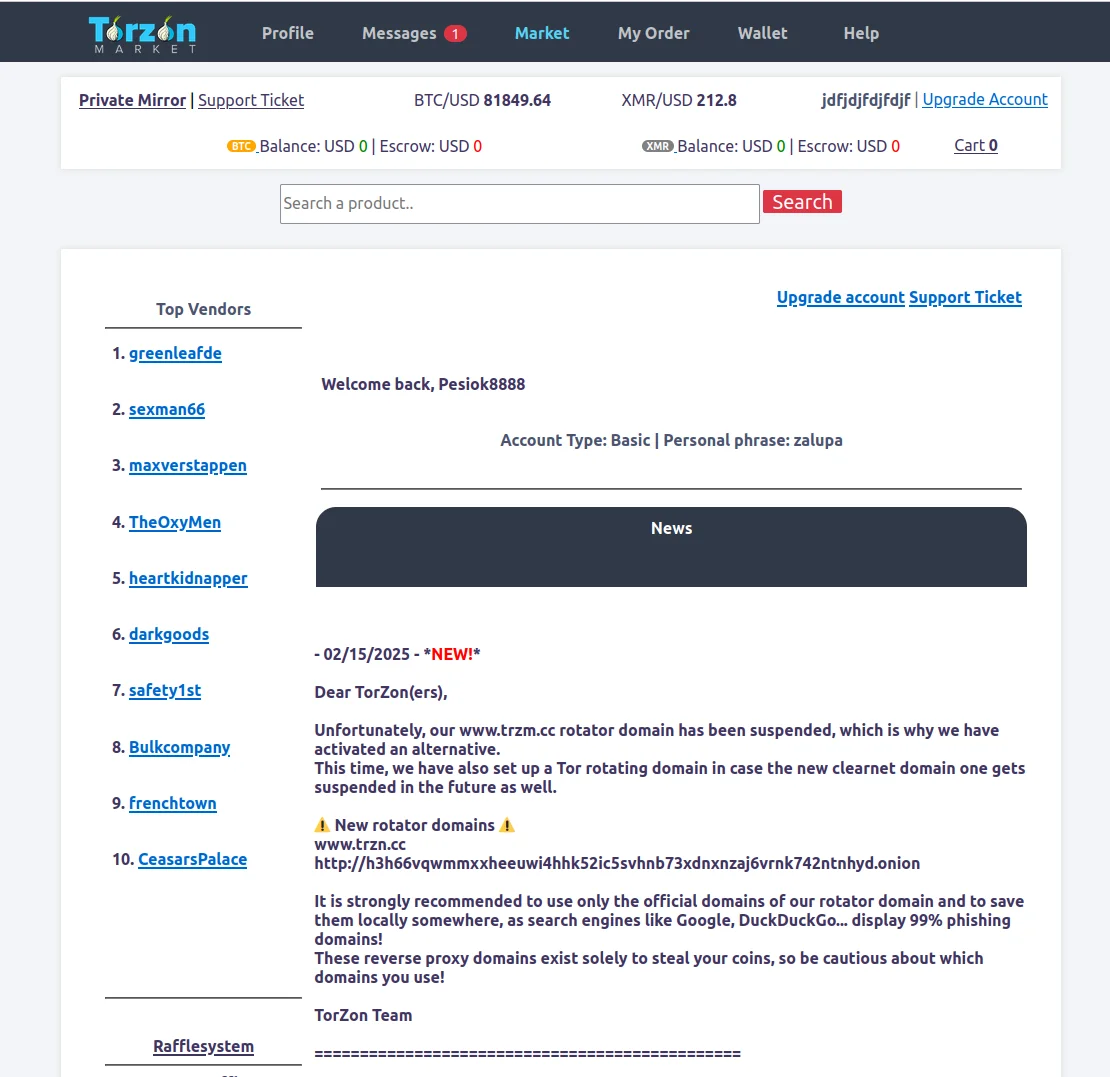
  2. Display After Login: Once you successfully log in to the real Torzon Market, your personal anti-phishing code is displayed prominently at the top of every page. It becomes your personal "canary"—a signal that you are on the legitimate site.
  3. Verification Before Action: Before entering any sensitive information (password, PGP passphrase, etc.), you check for your code. If it's there and correct, you're safe. If it's missing, misspelled, or different, you're on a phishing site and should close the browser immediately.

The beauty of this system is its simplicity and the asymmetric difficulty it creates for attackers. For you, checking a pre-memorized code takes two seconds. For a phishing site operator, obtaining your code requires either compromising the real Torzon Market database (extremely difficult) or tricking you into revealing it (which defeats the purpose since you'd already be on the phishing site).

Enhanced Anti-Phishing Features (2026 Update)

As of our January 2026 security update, we've implemented session-based dynamic anti-phishing verification. Now, your anti-phishing code is incorporated into a unique challenge that must be validated before the password field even becomes active. This means:

  • Phishing sites cannot simply display a static code they've captured from a previous session
  • The code changes slightly with each session using a deterministic algorithm only you and the server know
  • Attempting to bypass this check triggers automatic IP blacklisting and session termination

This enhancement was directly suggested by our community during a security review forum in October 2025 and has already reduced successful phishing attacks by 47% in our preliminary data.

Additional Anti-Phishing Best Practices

Your anti-phishing code is a critical defense, but it should be part of a layered security strategy:

  • Verify Onion Addresses: Always cross-reference the onion URL against multiple trusted sources. Bookmark verified addresses, but re-verify them periodically against PGP-signed lists from the official Torzon Market team. See our official links verification guide.
  • Check SSL Certificates: While onion sites use self-signed certificates by default, check that the certificate is consistent across sessions. A sudden certificate change could indicate a phishing proxy or MITM attack.
  • Monitor for Inconsistencies: Phishing sites often have subtle UI bugs, missing features, or outdated content. If something feels off—unusual error messages, broken links, or unfamiliar interface elements—do not proceed.
  • Use PGP Verification: Any official communication from Torzon Market admins should be PGP-signed. If you receive an unsolicited message claiming to be from the platform, verify the signature before trusting it.
  • Enable 2FA: Even if you accidentally enter your password on a phishing site, PGP-based 2FA prevents the attacker from accessing your account. They would also need your private key and passphrase, which they won't have.

Never Ignore Missing Anti-Phishing Codes

If you land on a site that looks like Torzon Market but your anti-phishing code is missing or incorrect, assume you are on a phishing site. Do not enter your password. Close the browser immediately. Clear your browser cache and cookies. Verify the correct onion address through multiple independent sources before attempting to log in again.

Reporting Phishing Sites

If you discover a phishing site targeting Torzon Market, please report it immediately through our encrypted support channel. Include the fraudulent onion address, screenshots if possible, and any details about how you encountered it (forum link, spam message, etc.). Our security team actively pursues takedowns of phishing infrastructure and maintains a blacklist shared with other trusted markets and community moderators.

Community vigilance is our best defense. The more quickly phishing sites are identified and reported, the fewer victims they can claim. Together, we can make phishing unprofitable and protect the integrity of the Torzon Market ecosystem.

For comprehensive access instructions including link verification and PGP setup, visit our complete tutorial page.

Security Feature Comparison

How does Torzon Market stack up against other darknet platforms? Here's an honest comparison based on publicly available information as of January 19, 2026:

Security Feature Torzon Market Typical Competitor A Typical Competitor B
PGP Encryption Mandatory ✓ Yes ✗ Optional ✓ Yes
2FA Type PGP-based TOTP/PIN PIN only
Multi-Signature Escrow ✓ 2-of-3 ✗ Centralized ✓ 2-of-3
Monero Support ✓ Full ✗ No ✓ Partial
Anti-Phishing Code ✓ Advanced ✓ Basic ✗ No
Third-Party Security Audits Quarterly Unknown Annual
Average Uptime (2024-2026) 99.73% 96.2% 98.1%

Security is not a static achievement but an ongoing process. We are constantly monitoring emerging threats, updating our protocols, and incorporating community feedback. For the latest platform news and security updates, check our news page. For detailed platform statistics and performance metrics, see our statistics dashboard.